---
title: "Charity selection widget"
description: "Show your campaign's charities in your product and let people choose one, with or without an amount, before or after the donation is created."
canonical: https://www.charitips.com/docs/widgets/charity_selection
---
# Charity selection widget
> Show your campaign's charities in your product and let people choose one, with or without an amount, before or after the donation is created.
The charity selection widget shows the charities of a campaign, with their profiles and what a donation funds, and lets the person choose one. It opens with the campaign's `publicKey`, so it can run in any browser or app.
> **In short**
>
> - Pick a `type`: show the charities only, let the person choose a charity, a charity and an amount, a charity for later, or claim a donation you already created.
> - When the person chooses, `onCharitySelected` calls your server, which creates and claims the donation with the API. Your credentials never reach the browser.
> - The widget shows amounts in euros, or in your own unit with `currencySymbol` and `currencyValue`.
> - Install the libraries first: see [Widgets](https://www.charitips.com/docs/widgets.md).
_Interactive component ``: open the page in a browser to use it._
## Pick a type
| `type` | The person | You set |
| ------------------------------ | --------------------------------------------- | ------------------------------------------------ |
| `presentation` (default) | browses the charities, without choosing | nothing more |
| `charity_and_amount_selection` | chooses a charity and an amount | `onCharitySelected`, and `balance` for a maximum |
| `charity_selection` | chooses a charity for an amount you know | `amount` in cents and `onCharitySelected` |
| `charity_preselection` | chooses a charity to keep for later | `onCharityPreselected` |
| `claim` | chooses the charity of a donation you created | `donationSecret`, or `voteSecret` for a vote |
`charity_and_amount_selection` and `charity_selection` create the donation and claim it in one go, when the person chooses: no donation is left waiting. Prefer them to `claim`.
## Choose a charity and an amount
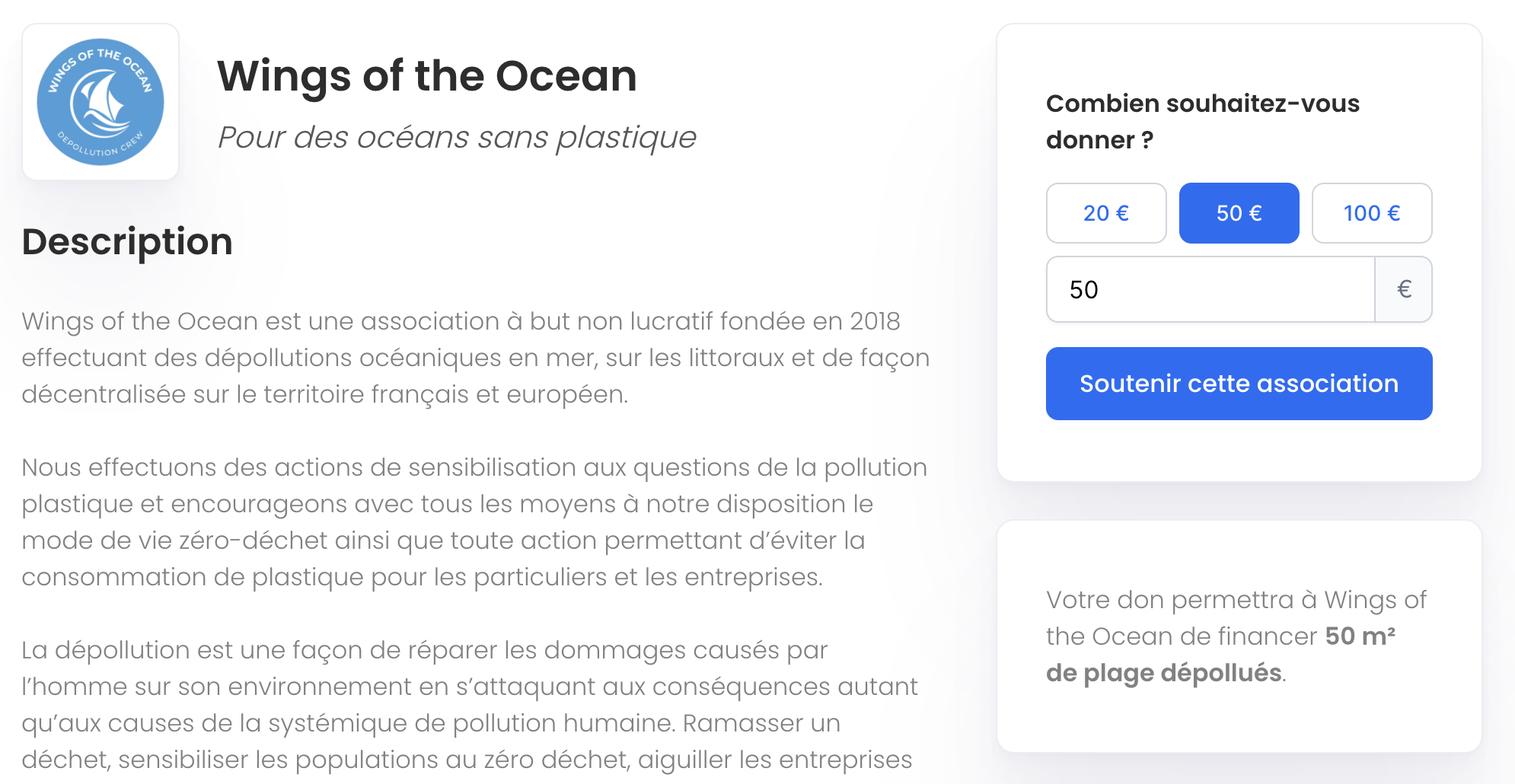
When the person confirms, the widget calls `onCharitySelected` with the `charityId` and the `amount` chosen, in euros, and shows a loader until the promise resolves. Call your server there: it creates the donation, already claimed, with [Create a donation](https://www.charitips.com/docs/api-reference/create-donation.md) and the `charityId`, converts the amount to cents, and passes your own id as `uniqueExternalId`. Return the donation: the widget then shows its thank-you screen.
**React**
```tsx
import { CharitySelectionWidget } from '@charitips/embed-react';
export function GiveScreen({ publicKey, orderId }: { publicKey: string; orderId: string }) {
const onCharitySelected = async ({ charityId, amount }: { charityId: string; amount?: number }) => {
// Your server calls POST /v1/donations with the charityId, the amount in cents and orderId as uniqueExternalId.
const response = await fetch('/api/donations', {
method: 'POST',
headers: { 'Content-Type': 'application/json' },
body: JSON.stringify({ charityId, amount, orderId }),
});
return response.json(); // { donationId }
};
return (
);
}
```
**JavaScript**
```javascript
import { createWidget } from '@charitips/embed';
createWidget({
baseUrl: 'https://embed.sandbox.charitips.com', // https://embed.charitips.com on live
container: document.querySelector('#charities'),
publicKey: '',
type: 'charity_and_amount_selection',
balance: 100,
size: 'fitContent',
async onCharitySelected({ charityId, amount }) {
// Your server calls POST /v1/donations with the charityId, the amount in cents and your own id as uniqueExternalId.
const response = await fetch('/api/donations', {
method: 'POST',
headers: { 'Content-Type': 'application/json' },
body: JSON.stringify({ charityId, amount }),
});
return response.json(); // { donationId }
},
});
```
**React Native**
```tsx
import { CharitySelectionWidget } from '@charitips/embed-react-native';
export function GiveScreen({ publicKey }: { publicKey: string }) {
return (
{
// Your server creates the donation and returns it.
const response = await fetch('https://example.com/api/donations', {
method: 'POST',
headers: { 'Content-Type': 'application/json' },
body: JSON.stringify({ charityId, amount }),
});
return response.json();
}}
/>
);
}
```
On your server, the call it makes:
```bash
curl -X POST https://api.sandbox.charitips.com/v1/donations \
-H "Authorization: Bearer $CHARITIPS_TOKEN" \
-H "Content-Type: application/json" \
-d '{
"campaignId": "",
"amount": 2000,
"charityId": "",
"uniqueExternalId": "order_1042"
}'
```
`balance` is the most the person can give, in euros, 100 by default. For a vote campaign, create a vote and cast it, and return `{ voteId }`.
### In your own unit
To show points, credits or coins instead of euros, add `currencySymbol` (the name of your unit) and `currencyValue` (how many units make 1 €). `balance` and the `amount` received are then in your unit: convert to cents on your server. See [Your own currency](https://www.charitips.com/docs/concepts/your-own-currency.md).
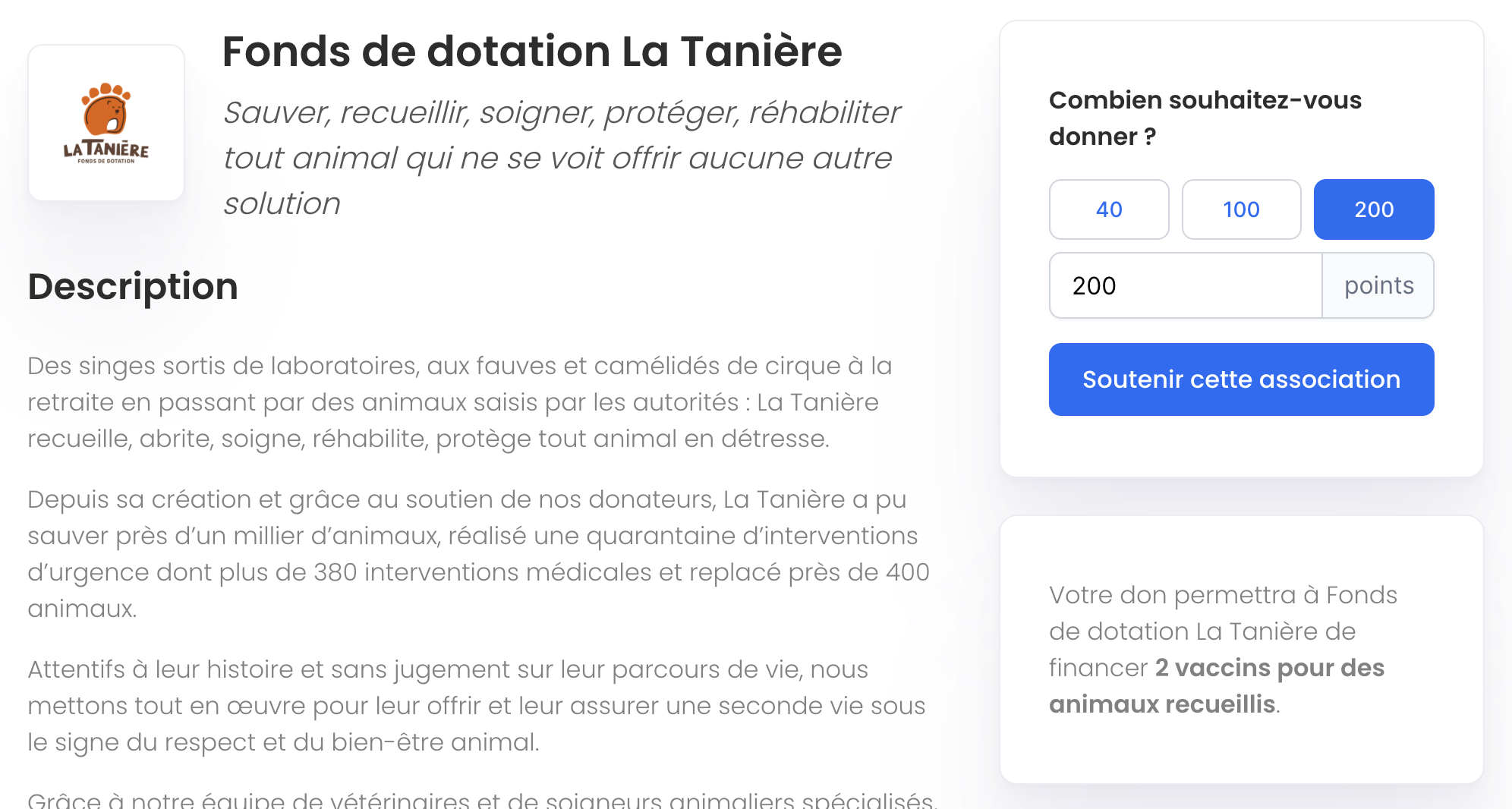
## Choose a charity for a known amount
With `charity_selection`, the amount is yours to set, in cents: the widget shows what it funds at each charity, and `onCharitySelected` receives the `charityId` only.
```javascript
createWidget({
baseUrl: 'https://embed.sandbox.charitips.com',
container: document.querySelector('#charities'),
publicKey: '',
type: 'charity_selection',
amount: 2000,
onCharitySelected: async ({ charityId }) => createDonationOnYourServer(charityId),
});
```
## Keep a charity for later
With `charity_preselection`, the person picks a charity, for example in their profile settings, and nothing is created: `onCharityPreselected` gives you the `charityId` to store. Show the stored one with `preselectedCharityId`, and pass it as `charityId` when you create a donation later.
```javascript
createWidget({
baseUrl: 'https://embed.sandbox.charitips.com',
container: document.querySelector('#favourite-charity'),
publicKey: '',
type: 'charity_preselection',
layout: 'row',
preselectedCharityId: '',
onCharityPreselected: ({ charityId }) => saveOnYourServer(charityId),
});
```
_Interactive component ``: open the page in a browser to use it._
## Claim a donation you created
Your server creates the donation first, without a charity, with [Create a donation](https://www.charitips.com/docs/api-reference/create-donation.md). Its response holds the donation's `secret`: pass it as `donationSecret`, and the widget claims the donation when the person chooses. For a vote, pass the vote's `secret` as `voteSecret`.
```javascript
createWidget({
baseUrl: 'https://embed.sandbox.charitips.com',
container: document.querySelector('#charities'),
publicKey: '',
type: 'claim',
donationSecret: '',
});
```
A person who leaves without choosing leaves the donation waiting until it expires. Reuse the same donation when they come back, by finding it with your `uniqueExternalId`, and delete the ones you no longer need before they are invoiced. See [Donation lifecycle](https://www.charitips.com/docs/concepts/donation-lifecycle.md).
## Options
| Option | Type | What it does |
| ------------------------------------------------------------- | ------------------------------------ | ---------------------------------------------------------------------------------------------- |
| `publicKey` | string | the campaign whose charities are shown, required |
| `type` | string | one of the types above, `presentation` by default |
| `amount` | number | with `charity_selection`, the amount in cents |
| `balance` | number | with `charity_and_amount_selection`, the most the person can give, in euros or in your unit |
| `currencySymbol`, `currencyValue` | string, number | your own unit and how many of it make 1 € |
| `donationSecret`, `voteSecret` | string | with `claim`, the secret of the donation or the vote |
| `preselectedCharityId` | string | with `charity_preselection`, the charity shown as chosen |
| `onCharitySelected` | `({ charityId, amount }) => Promise` | creates the donation on your server and resolves with `{ donationId }` or `{ voteId }` |
| `onCharityPreselected` | `({ charityId }) => void` | receives the charity chosen with `charity_preselection` |
| `onDonationClaimed` | `({ charityId }) => void` | called once the donation is claimed |
| `onCloseSuccess` | `() => void` | called when the person closes the thank-you screen |
| `disableSuccessModal` | boolean | skips the thank-you screen: your product takes over, and the button keeps loading |
| `layout` | `grid`, `row` or `list` | how the charities are laid out, `grid` by default |
| `hideSearch` | boolean | hides the search bar and its filters |
| `withInstructions`, `withDescription`, `withDiscoverButton` | boolean | show the instructions, the campaign's title and description, and a button to see the charities |
| `termsOfServiceLink`, `termsOfSalesLink`, `privacyPolicyLink` | string | adds a checkbox to accept your terms before choosing |
| `size`, `locale`, `id` | | see [Options every widget shares](https://www.charitips.com/docs/widgets.md#options-every-widget-shares) |
## Related
[Charities and selections](https://www.charitips.com/docs/concepts/charities.md), [A donation with every order](https://www.charitips.com/docs/use-cases/donation-per-order.md), [Your own currency](https://www.charitips.com/docs/concepts/your-own-currency.md), [Donor widgets](https://www.charitips.com/docs/widgets/donor.md).