
Overview
The Charitips gift card
What the Charitips gift card is, how your server can offer one through the API by email, Slack or post, what the recipient sees, the card images to show in your product, and what stays in the dashboard.
A Charitips gift card is a donation your company funds, offered to a person who picks the charity. Through the API, one call creates it: your server gives the recipient's email, Slack id or postal address, and Charitips delivers the card, hosts the page where the person chooses, sends the reminders and pays the charity.
In short
- The card is created with Create a donation, on a campaign whose
sendingModesays how Charitips delivers it:EMAIL,SLACKorPOSTAL. - Charitips sends the message with the card, the link or code to choose, and the reminders. Your product makes no other call.
- The recipient picks the charity on a page hosted by Charitips; your server gets a
donation_updatewebhook. - Many printed cards for an event, and the card bought by an individual on charitips.com, stay outside the API.
What it is
The card carries the amount your company gives, a message, a design, and the link or code to choose the charity among the ones your campaign offers. The recipient opens it, picks a charity, and Charitips pays the charity. No donation is lost: one that nobody claims is assigned to a charity when it expires or when the campaign closes.
Offer one through the API
Once, create the campaign with its charities selection and the delivery, then activate it:
curl -X POST https://api.sandbox.charitips.com/v1/campaigns \ -H "Authorization: Bearer $CHARITIPS_TOKEN" \ -H "Content-Type: application/json" \ -d '{ "name": "Birthday cards", "charitiesSelectionId": "<charitiesSelectionId>", "sendingMode": "EMAIL" }'Request bodies are written for this docs and checked against the API's validation; ids in angle brackets are placeholders. Response values are placeholders built from the schema.
Then create one donation per card, with the recipient in donor and the day to send it in sendingDate:
curl -X POST https://api.sandbox.charitips.com/v1/donations \ -H "Authorization: Bearer $CHARITIPS_TOKEN" \ -H "Content-Type: application/json" \ -d '{ "campaignId": "<campaignId>", "amount": 2000, "uniqueExternalId": "birthday_2026_1042", "sendingDate": "2026-06-30T09:00:00Z", "donor": { "firstName": "Camille", "email": "camille.martin@example.com" } }'Request bodies are written for this docs and checked against the API's validation; ids in angle brackets are placeholders. Response values are placeholders built from the schema.
amount is in cents. uniqueExternalId is your own id for the card, so a retry never gives twice. Leave charityId out: the recipient chooses.
- By email (
sendingModeset toEMAIL). Charitips emails the recipient the campaign's message, the front of the card with its amount, and the link to choose.donor.firstName,donor.emailandsendingDateare required, otherwise the API answers400; the email leaves within ten minutes ofsendingDate. Replies go to the address of the account's user unless the campaign sets another. - By Slack (
SLACK). The message and a button to choose reach the person through the Charitips Slack app installed on your workspace. Passdonor.firstName,donor.slackIdandsendingDate. - By post (
POSTAL). Charitips prints the card in a design it validated, with the code to choose, and posts it as a tracked letter to the recipient's address in France. The designs come from List card designs, each with itsmomentSlug, set once on the campaign. See By post for the address fields, the posting day, the statuses and the price.
The details of each delivery, with the errors and the edge cases, are in A gift sent by email, Slack or post.
What the recipient sees
- The card. The message in your company's name, with the campaign's logo when it has one, and the amount offered.
- The choice. A link, or the code on a printed card, opens the page hosted by Charitips where the person picks one charity among your campaign's selection. Reminders follow until they do.
- The confirmation. Once chosen, Charitips pays the charity. Your server gets the
donation_updatewebhook with thecharityId; the dashboard shows the donation with the others.
Your company funds the donation, so the fiscal receipt is issued to your company, not to the recipient: see Billing and fiscal receipts.
You deliver it yourself
When the recipient is already in your product, skip the sending: create the donation without a delivery and show the choice of the charity in your own interface, with the charity selection widget or the claim call. See A donation with every order. If your product sells gift cards of its own, the remaining balance can become a donation: see Unused gift card balance.
Show the card in your product
Add includeAssets=true to Get a donation or List donations, and each donation comes with the images of its card, in the donation's language:
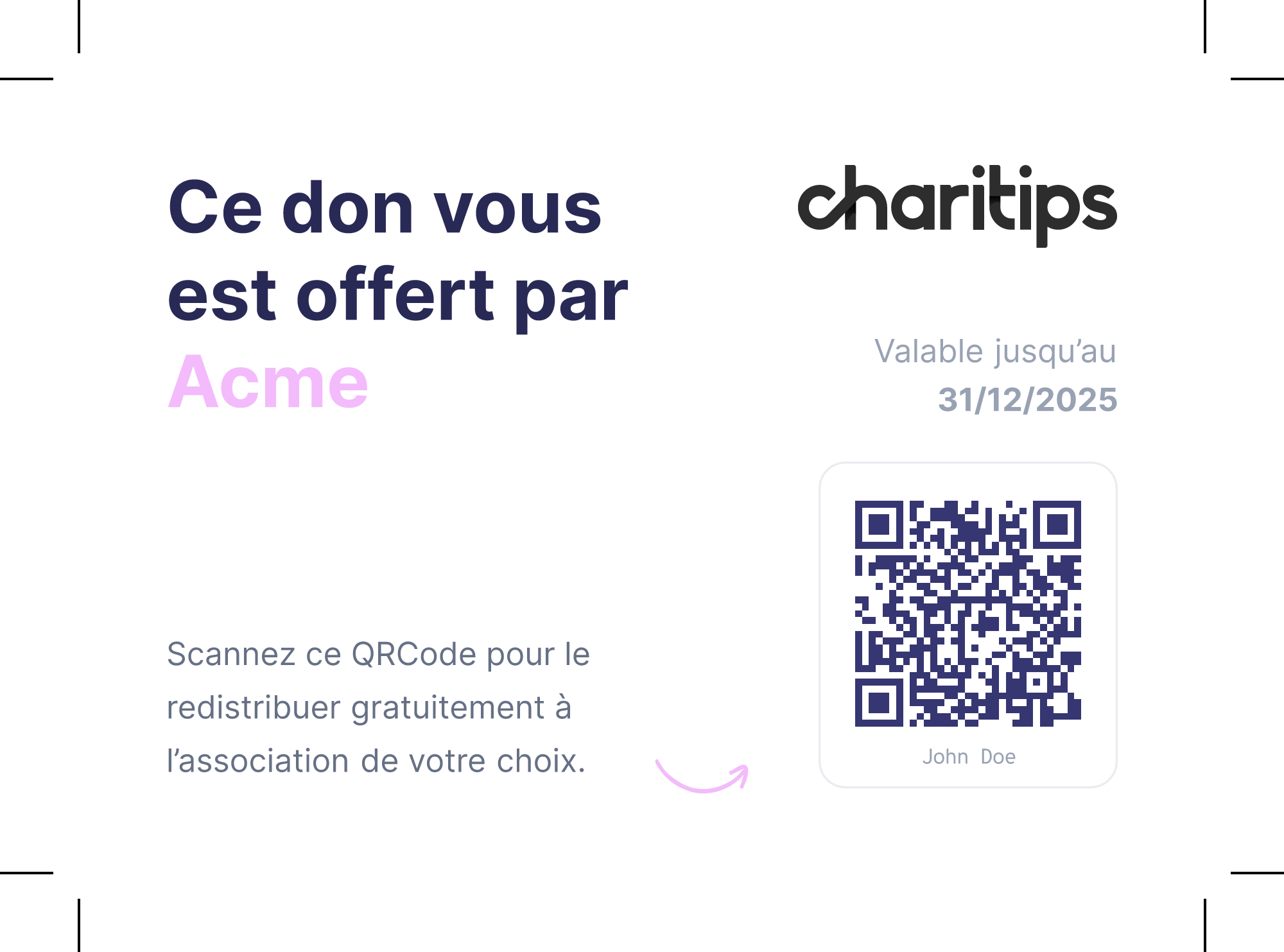
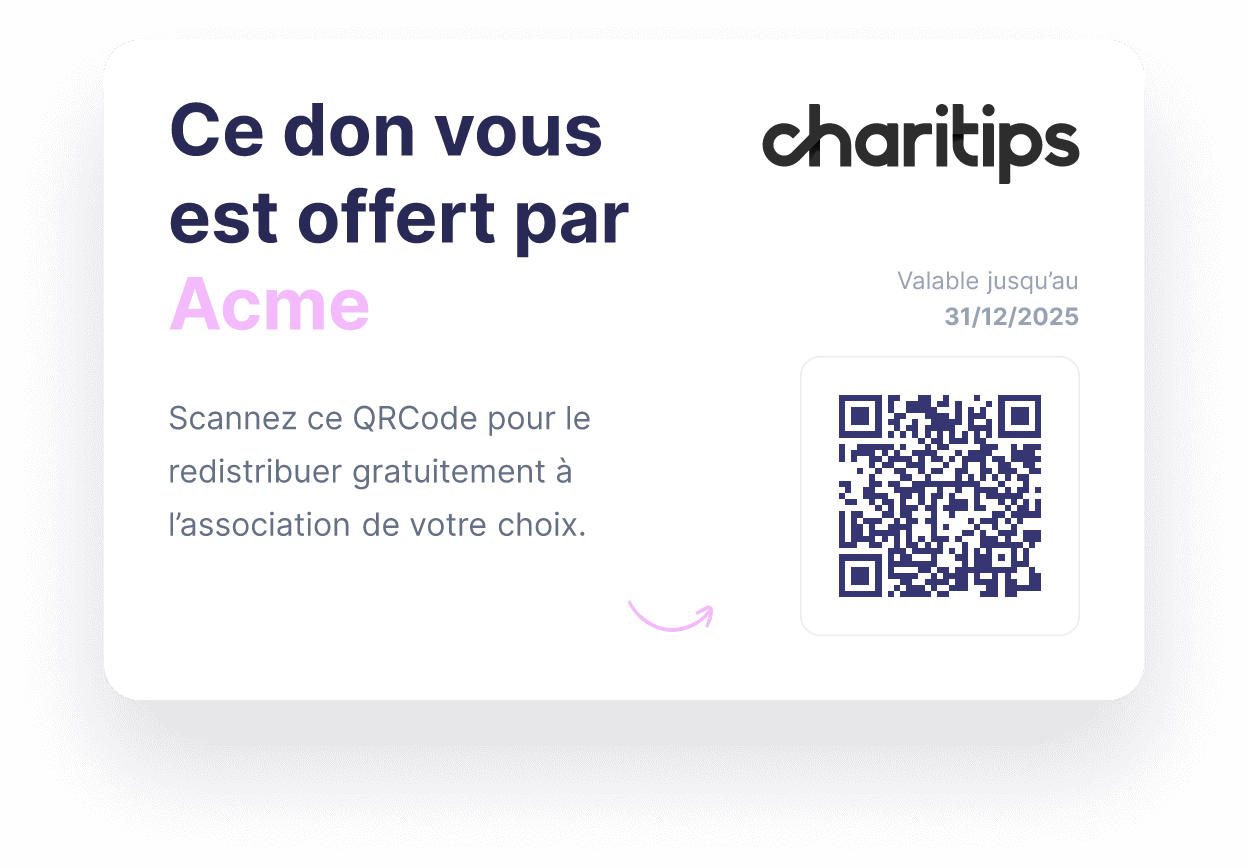
{ "donationId": "6f1c2a4e-3b5d-4e8f-9a0b-1c2d3e4f5a6b", "assets": { "donationCard": { "digital": { "front": "<url>", "back": "<url>" }, "print": { "front": "<url>", "back": "<url>" } }, "qrCode": "<url>" }}digital: the card to show on a screen or attach to a message, front and back.print: the card for a printer, with bleed, cut marks and safety margins. Its back holds the QR code to choose, and the donor's name when the donation has adonor, so each card finds its owner.qrCode: the QR code alone, which opens the page to choose.
 Print front
 Print back
 Virtual front
 Virtual back
 QR code
To print the cards of a whole campaign at once, ask for a PDF with Create a file generation request, type set to PRINT_PHYSICAL_CARDS_PDF and the campaign in params.campaignId. The file is made in the background: the file_generated webhook tells you when it is ready, or check with Get a file generation request, then download it with Generate a file download url. Eight requests per five minutes at most.
curl -X POST https://api.sandbox.charitips.com/v1/files/file-generation-requests \ -H "Authorization: Bearer $CHARITIPS_TOKEN" \ -H "Content-Type: application/json" \ -d '{ "type": "PRINT_PHYSICAL_CARDS_PDF", "params": { "campaignId": "<campaignId>" } }'Request bodies are written for this docs and checked against the API's validation; ids in angle brackets are placeholders. Response values are placeholders built from the schema.
To show what a card looks like before any donation exists, on a product page for example, use its public preview: https://preview.charitips.com/api/previews/virtual-cards/front/<amount>_<language>.png, with the amount in cents and fr or en, like 5000_fr.png for 50 €.
What stays in the dashboard and on charitips.com
- Many printed cards at once. Cards with a code to hand out at an event, and orders of many printed cards, are made from the dashboard: such a campaign reads
withGiftCards: trueand aphysicalFormatwhen you get it. - One card bought by an individual. The gift card of charitips.com, bought and offered by a person for a birthday, a wedding or any occasion, is a Charitips product with its own payment and its own page.
For a bulk order of printed cards driven by your product, ask us.