
Use cases · Payments
Round-up on every payment
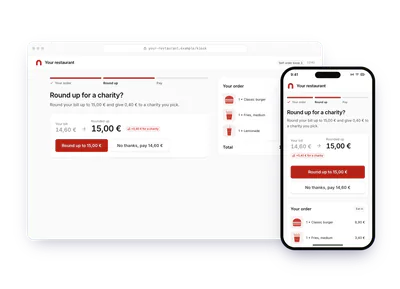
Round each card payment up and give the difference, charged to your customer, who gets the fiscal receipt.
- Who paysYour users
- Starts withA purchase
- Tax receiptIn the user's name
Needs API access and the B2C use case on a validated account. Plans
your-bank.example/app
Step by step
Click through the site. Each step shows what your customer does, what your server sends and what Charitips answers.
1Round-ups turned on
To comeYour customer does…
Clicks “Turn on”.
Your server sends…
The customer picks a charity, a multiplier and a monthly cap, and agrees to pay the round-ups. Your app saves it on its side. Nothing is sent to Charitips yet.
Charitips answers…
Nothing: Charitips is not called at this step.
2Payment rounded up
To comeYour customer does…
Clicks “Simulate a card payment”.
Your server sends…
Creates a 0,60 € donation for transaction #77812 on the campaign “Round up”, for the charity your customer picks, paid by Camille Martin with a fiscal receipt in their name.
POSTcreate-donation
Charitips answers…
Charitips records the donation and returns its id: it goes to the charity your customer picks at once, and the fiscal receipt will be in Camille Martin's name.
Charitips will then tell your server the donation was created.
3Payment refunded
To comeYour customer does…
Clicks “Simulate a refund”.
Your server sends…
Deletes that donation.
DELETEdelete-donation
Charitips answers…
The donation is deleted and never billed.
How to read this demo: the site shows what your customer does, and the panel what your server sends and what Charitips answers, step by step.
The site is made up and nothing is sent. The endpoints, fields and webhook events are the real ones, and so are the charities.
This demo is one example. Card payments rounded to the next euro, with a multiplier and a monthly cap: that is the case the demo plays. The same flow also covers:
One flow, 5 variants
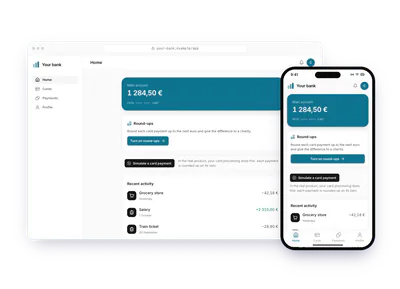
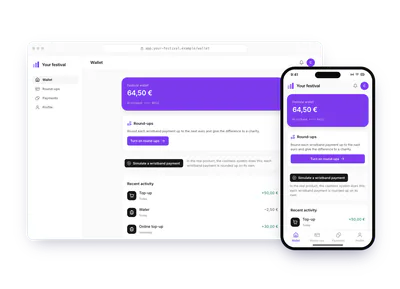
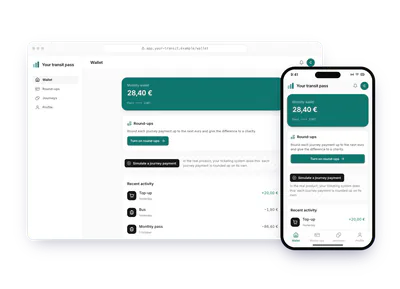
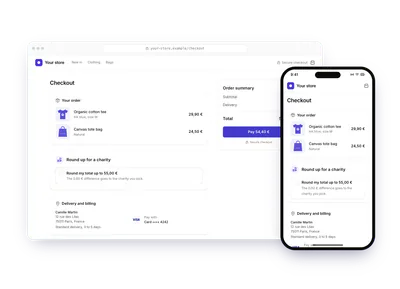
Each card is this flow in another sector or use case. Pick one: the demo above plays it, with its site, its amounts and its charities. The API calls stay the same.
Build it
The calls behind the demo, in order. Each step shows the request your server sends.
donation_createBefore you start
- The B2C use case: each round-up is created with
hasBeenCharged: true, once the customer is charged. - The customer's name and postal address in
donor, for the receipt in their name.
Create the round-up campaign
Once, create a charities selection, create the campaign with its
charitiesSelectionIdon youraccountId, then activate it, as in steps 3 to 5 of Your first donation.POST /v1/campaignscurl -X POST https://api.sandbox.charitips.com/v1/campaigns \ -H "Authorization: Bearer $CHARITIPS_TOKEN" \ -H "Content-Type: application/json" \ -d '{ "accountId": "<accountId>", "charitiesSelectionId": "<charitiesSelectionId>", "name": "Round up" }'Built from the spec and the API codeRequest bodies are written for this docs and checked against the API's validation; ids in angle brackets are placeholders. Response values are placeholders built from the schema.
Create a donation per transaction
For each eligible transaction in your product, create a donation for the round-up with Create a donation.
amountis in cents: 23 is 0,23 €.hasBeenCharged: truesays your user paid the round-up, anddonorputs the fiscal receipt in their name.uniqueExternalIdis your transaction id: a retried call answers409instead of creating a second donation.POST /v1/donationscurl -X POST https://api.sandbox.charitips.com/v1/donations \ -H "Authorization: Bearer $CHARITIPS_TOKEN" \ -H "Content-Type: application/json" \ -d '{ "campaignId": "<campaignId>", "amount": 23, "uniqueExternalId": "<transactionId>", "hasBeenCharged": true, "withFiscalReceipt": true, "donor": { "firstName": "Camille", "lastName": "Martin", "email": "camille.martin@example.com", "street": "12 rue des Lilas", "zip": "75011", "city": "Paris", "country": "FR" } }'Built from the spec and the API codeRequest bodies are written for this docs and checked against the API's validation; ids in angle brackets are placeholders. Response values are placeholders built from the schema.
Debit your user
Once the donation is created, move the rounded-up amount on your side and decrement your user's balance accordingly.
Billing and receipts
Charitips bills you once a month for the total of all round-up donations, so a single money transfer a month goes from you to Charitips. Round-ups are numerous, so Charitips issues the fiscal receipt to the donor once a year rather than one per round-up.
Edge cases
- Prerequisites.
hasBeenChargedandwithFiscalReceiptneed the B2C use case on your account: see Plans and prerequisites. - A refunded payment. Delete its round-up with Delete a donation before the monthly invoice: once invoiced, it answers
403 Donation already invoiced.
The memo
Send the memo to your team
Already written for this flow
- What it does and who pays, in a few sentences
- What you need: plan, API calls and webhooks
- What you can report: donations, charities, impact and receipts
To paste in an email, a document or a note.
Email it