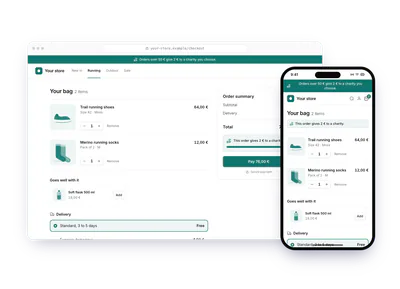
Gym accessories shop: donations with the Charitips API
A gym's accessories shop gives 2 € on each order over 50 €, or 1 % of the order. The gym pays, and the member picks the charity once the order is confirmed.
- Who paysYour company
- Starts withA purchase
- Tax receiptIn your company's name
Needs API access on a validated account. Plans
One variant of A donation with every order · Health and sport
2 € for every order over 50 €, or 1 % of each order
See every variantshop.your-gym.example/checkout
Step by step
Click through the site. Each step shows what your customer does, what your server sends and what Charitips answers.
1Order paid
To comeYour customer does…
Clicks “Pay 52,00 €”.
Your server sends…
Creates a 2 € donation for order #2290 on the campaign “Gym shop donations”.
POSTcreate-donation
Charitips answers…
Charitips records the donation and returns its id: it waits for your customer to pick a charity.
Charitips will then tell your server the donation was created.
2Charity chosen
To comeYour customer does…
Clicks “Give 2 € to the charity”.
Your server sends…
Assigns that donation to the charity your customer picks.
POSTclaim-donation
Charitips answers…
The donation now goes to the charity your customer picks.
Charitips will then tell your server the donation was updated.
3Order history
To comeYour customer does…
Sees “Your orders”.
Your server sends…
Your server reads the donation_update webhook and keeps the charity on the order. An order still waiting for a choice offers it again.
Charitips answers…
Nothing: Charitips is not called at this step.
How to read this demo: the site shows what your customer does, and the panel what your server sends and what Charitips answers, step by step.
The site is made up and nothing is sent. The endpoints, fields and webhook events are the real ones, and so are the charities.
How it works
The screens of the demo in order, with the calls your server makes at each one. Its build spec
donation_createdonation_updateOnce, before the first customer
- POST /v1/charities-selectionsCreate a charities selection: once: the charities you offer, from the catalog
- POST /v1/campaignsCreate a campaign: once: the campaign the donations go to
- POST /v1/campaigns/{campaignId}/activateActivate a campaign: once: the campaign starts taking donations
01
Your bag
Orders over 50 € give 2 € to a charity the customer chooses. Under 50 €, no donation is created.
- Training T-shirt: 34,00 €
- Water bottle 750 ml: 18,00 €
- Delivery: Free
- Total: 52,00 €
Button: Pay 52,00 €
Your server calls:
- POST /v1/donationsCreate a donation: from your payment webhook, once the order is paid; amount in cents. Keep the donationId with the order: the order page and your confirmation email bring the customer back to the choice
Charitips then sends the
donation_createwebhook to your endpoint.02
Thank you. Choose the charity for your 2 €
The confirmation page offers a short choice of charities. Not now? The order history brings the customer back, and without a choice the donation still goes to one of the charities: none is lost.
The customer picks a charity from your selection. Button: Give 2 € to the charity
Your server calls:
- POST /v1/donations/{donationId}/claimClaim a donation: donationId from the create-donation response
Charitips then sends the
donation_updatewebhook to your endpoint.03
Your orders
Your server reads the donation_update webhook and keeps the charity on the order. An order still waiting for a choice offers it again.
Button: Start again
No call: this screen only shows the result.
Other ways to run it
The same calls in other sectors and products. Each card opens its own page, with its demo.
- RetailOnline storeAn online store adds 2 € to every order over 50 €, paid by the store. The customer picks the charity on the confirmation page; if they skip it, the donation still goes to one.2 € for every order over 50 €, or 1 % of each orderTry the demoA donation with every order: Online store
- Culture and eventsMuseum shopA museum shop gives 2 € on every order over 50 € of prints or books. The shop pays; the visitor picks the charity on the confirmation page or later, from their order history.2 € for every order over 50 €, or 1 % of each orderTry the demoA donation with every order: Museum shop