QR code on a product: donations with the Charitips API
A QR code under a product's cap gives 2 % of the price once scanned after purchase. The buyer picks the charity on the scanned page; one donation per code, paid by the brand.
- Who paysYour company
- Starts withA customer action
- Tax receiptIn your company's name
Needs API access on a validated account. Plans
One variant of On site, at a kiosk or with a QR code · Retail
2 % of the price, scanned after purchase
See every variantscan.your-brand.example
Step by step
Click through the site. Each step shows what your customer does, what your server sends and what Charitips answers.
1When the code is scanned
To comeYour customer does…
Clicks “Scan the QR code”.
Your server sends…
Creates a 0,64 € donation for SN7K2F93XQ on the campaign “Shared product”.
POSTcreate-donation
Charitips answers…
Charitips records the donation and returns its id: it waits for your customer to pick a charity.
Charitips will then tell your server the donation was created.
2When the charity is chosen
To comeYour customer does…
Clicks “Choose the charity”.
Your server sends…
Assigns that donation to the charity your customer picks.
POSTclaim-donation
Charitips answers…
The donation now goes to the charity your customer picks.
Charitips will then tell your server the donation was updated.
How to read this demo: the site shows what your customer does, and the panel what your server sends and what Charitips answers, step by step.
The site is made up and nothing is sent. The endpoints, fields and webhook events are the real ones, and so are the charities.
How it works
The screens of the demo in order, with the calls your server makes at each one. Its build spec
donation_createdonation_updateOnce, before the first customer
- POST /v1/charities-selectionsCreate a charities selection: once: the charities you offer, from the catalog
- POST /v1/campaignsCreate a campaign: once: the campaign the donations go to
- POST /v1/campaigns/{campaignId}/activateActivate a campaign: once: the campaign starts taking donations
01
When the code is scanned
Button: Scan the QR code
Your server calls:
- POST /v1/donationsCreate a donation: from your server, when it happens; amount in cents
Charitips then sends the
donation_createwebhook to your endpoint.02
When the charity is chosen
The customer picks a charity from your selection. Button: Choose the charity
Your server calls:
- POST /v1/donations/{donationId}/claimClaim a donation: donationId from the create-donation response
Charitips then sends the
donation_updatewebhook to your endpoint.
Other ways to run it
The same calls in other sectors and products. Each card opens its own page, with its demo.
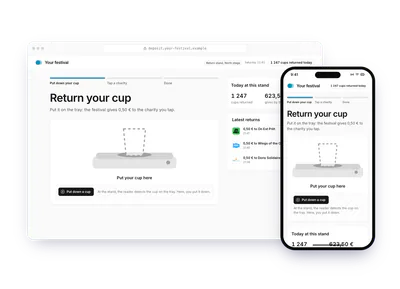
- Culture and eventsCup returned at a festivalAt a festival return point, each cup put on the tray gives 0,50 €, paid by the festival. The attendee taps the charity on the shared screen; the receipt goes to the festival.0,50 € per cup returnedTry the demoOn site, at a kiosk or with a QR code: Cup returned at a festival
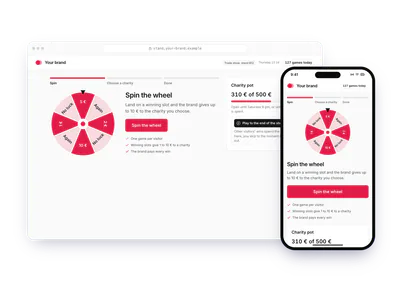
- Culture and eventsGame at an event standA brand's event stand runs a game: a winning slot gives 1 € to 10 €. The visitor picks the charity on the stand's screen, or scans a code to choose later; the brand pays.1 € to 10 € per winTry the demoOn site, at a kiosk or with a QR code: Game at an event stand
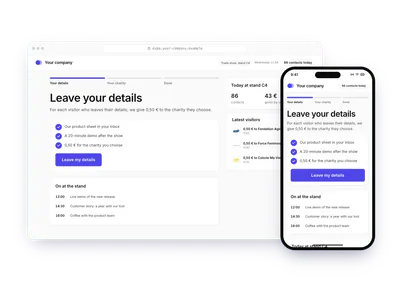
- Culture and eventsContact left at a standAt a trade show, an exhibitor gives 0,50 € for each visitor who leaves their details. One tap on the stand's tablet sends the contact and the charity choice; the exhibitor pays.0,50 € per contactTry the demoOn site, at a kiosk or with a QR code: Contact left at a stand
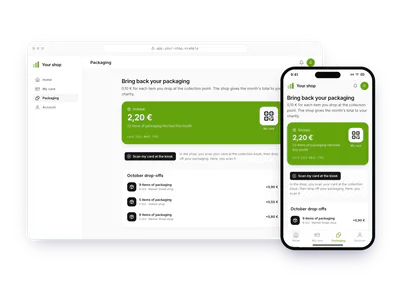
- RetailPackaging returned in storeA shop gives 0,10 € for each packaging item dropped at its collection point. The customer picks the charity once; the shop sends the month's total as one donation.0,10 € per item returned, settled monthlyTry the demoOn site, at a kiosk or with a QR code: Packaging returned in store
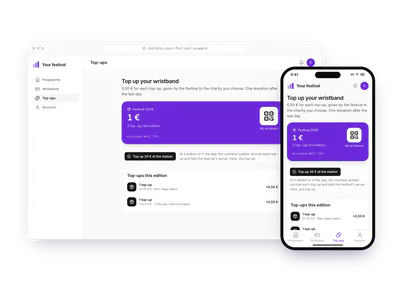
- Culture and eventsCashless wristband top-upsA festival gives 0,50 € for each cashless wristband top-up. The attendee picks the charity once at the top-up station; after the last day, the festival sends the total.0,50 € per top-up, sent after the festivalTry the demoOn site, at a kiosk or with a QR code: Cashless wristband top-ups