Collective adoption goal: donations with the Charitips API
A SaaS ties a donation to a feature's adoption: once 500 users have turned it on, it gives 0,50 € per user. Each user picks their own charity.
- Who paysYour company
- Starts withA customer action
- Tax receiptIn your company's name
Needs API access on a validated account. Plans
One variant of Customers vote on a budget · Software and apps
0,50 € per user, paid once the goal is reached
See every variantapp.your-software.example
Step by step
Click through the site. Each step shows what your customer does, what your server sends and what Charitips answers.
1On activation
To comeYour customer does…
Clicks “Turn on the feature”.
Your server sends…
No call: your side saves it.
Charitips answers…
Nothing: Charitips is not called at this step.
2At 1 000 activations
To comeYour customer does…
Clicks “Reach 1 000 activations”.
Your server sends…
Creates a 0,50 € donation for shared reports user 5521 on the campaign “Booster for Good”.
POSTcreate-donation
Charitips answers…
Charitips records the donation and returns its id: it waits for your customer to pick a charity.
Charitips will then tell your server the donation was created.
3When the charity is chosen
To comeYour customer does…
Clicks “Choose the charity”.
Your server sends…
Assigns that donation to the charity your customer picks.
POSTclaim-donation
Charitips answers…
The donation now goes to the charity your customer picks.
Charitips will then tell your server the donation was updated.
How to read this demo: the site shows what your customer does, and the panel what your server sends and what Charitips answers, step by step.
The site is made up and nothing is sent. The endpoints, fields and webhook events are the real ones, and so are the charities.
How it works
The screens of the demo in order, with the calls your server makes at each one. Its build spec
donation_createdonation_updateOnce, before the first customer
- POST /v1/charities-selectionsCreate a charities selection: once: the charities you offer, from the catalog
- POST /v1/campaignsCreate a campaign: once: the campaign the donations go to
- POST /v1/campaigns/{campaignId}/activateActivate a campaign: once: the campaign starts taking donations
01
On activation
Button: Turn on the feature
No call: this screen only shows the result.
02
At 1 000 activations
Button: Reach 1 000 activations
Your server calls:
- POST /v1/donationsCreate a donation: from your server, when it happens; amount in cents
Charitips then sends the
donation_createwebhook to your endpoint.03
When the charity is chosen
The customer picks a charity from your selection. Button: Choose the charity
Your server calls:
- POST /v1/donations/{donationId}/claimClaim a donation: donationId from the create-donation response
Charitips then sends the
donation_updatewebhook to your endpoint.
Other ways to run it
The same calls in other sectors and products. Each card opens its own page, with its demo.
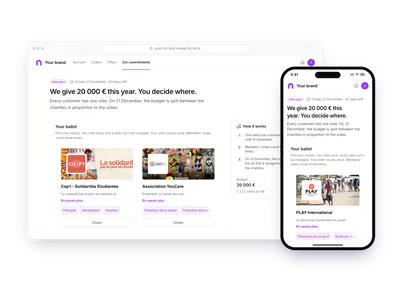
- RetailCustomers vote on a budgetA retailer sets a yearly budget, 20 000 € for example, and lets customers decide where it goes. Each customer casts one vote on a hosted ballot; the budget is billed at activation.A yearly budget split by the votesTry the demoCustomers vote on a budget: Customers vote on a budget
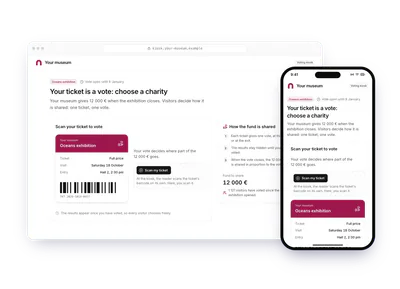
- Culture and eventsVisitors vote at an exhibitionA museum funds a pot of 1 € per ticket for an exhibition. Each ticket is one vote on a screen at the exit; the pot is split by the votes when the exhibition closes.1 € per ticket, split by the votesTry the demoCustomers vote on a budget: Visitors vote at an exhibition
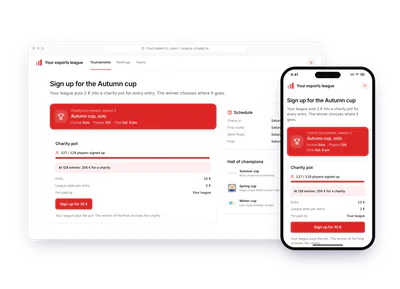
- Software and appsThe tournament winner picksAn e-sport league puts 2 € per entry into a charity pot. Players sign up and compete; the tournament winner picks the charity the whole pot goes to; the league pays.2 € per entry, the winner picks the charityTry the demoCustomers vote on a budget: The tournament winner picks
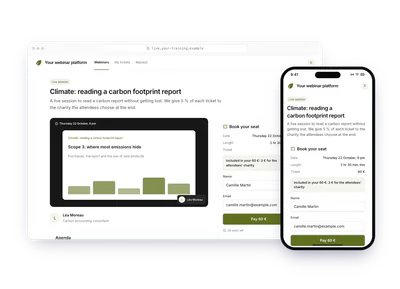
- EducationPoll after a webinarA training company gives 5 % of each webinar ticket. When the live session ends, a poll opens and the attendees choose the charity together; the company pays.5 % of each ticket, the attendees chooseTry the demoCustomers vote on a budget: Poll after a webinar